My AI Stack Costs Almost Nothing. That's The Point.

I am a proponent of ROI. That's probably natural for a growth-oriented product manager who spends most of his day optimizing for business value out of every dollar invested. That philosophy carries over into my AI tooling.
My agentic coding stack comprises free agents like OpenCode and free or low-cost foundation models like Llama and Kimi. Not because I'm against token-maxxing. Quite the opposite.
I'm all for token-maxxing when it leads to business outcome-maxxing.
If burning 10x more tokens helps me ship 20x faster, sign me up.
What I'm less excited about is burning 10x more tokens so someone can check a box saying my team used more AI than another team.
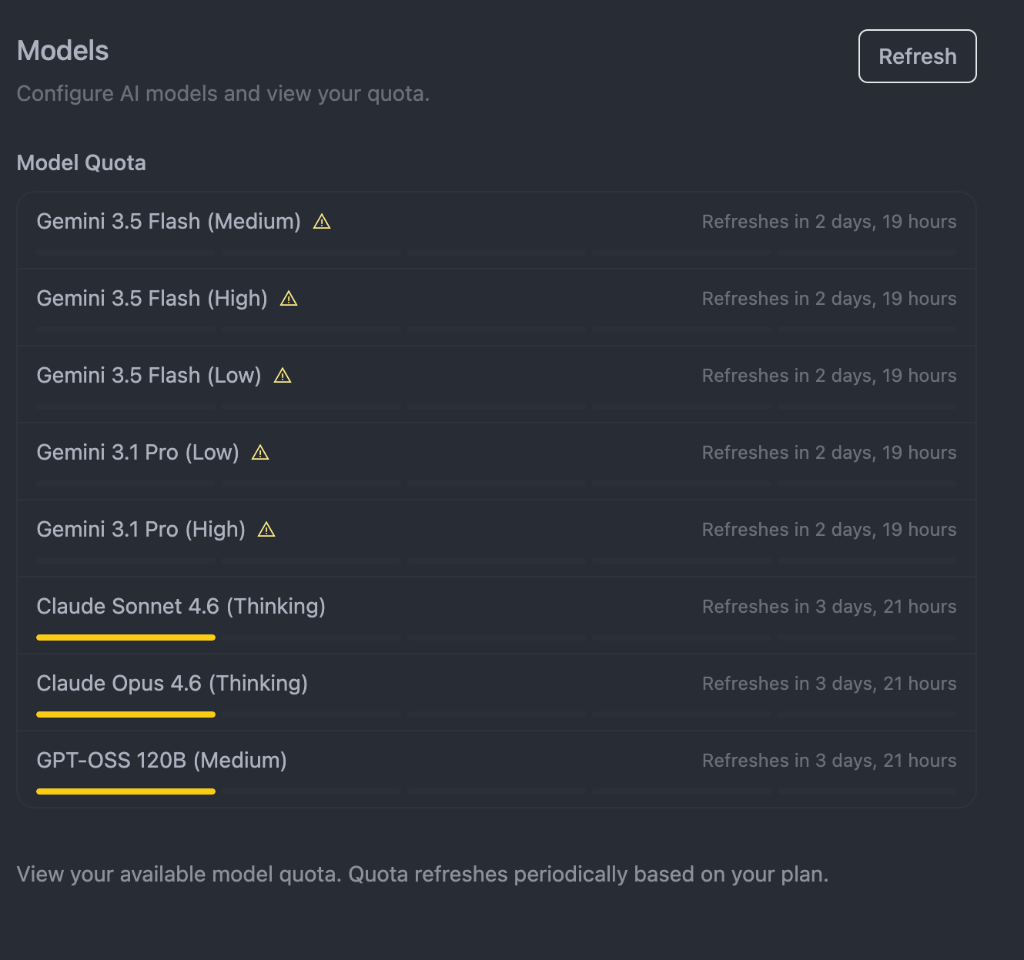
Not all AI spend is equal. Quota dashboards like this one reveal just how many model tiers exist — and how easy it is to burn through the expensive ones without a clear ROI reason.
That's where freemaxxing becomes fun.
Open-source models have gotten remarkably good. In many cases they're good enough that the bottleneck is no longer model quality. It's how effectively you can orchestrate agents, tools, prompts, and workflows around them.
The result is a setup that costs me very little, yet still helps me write, code, research, and build faster than I could have a year ago.
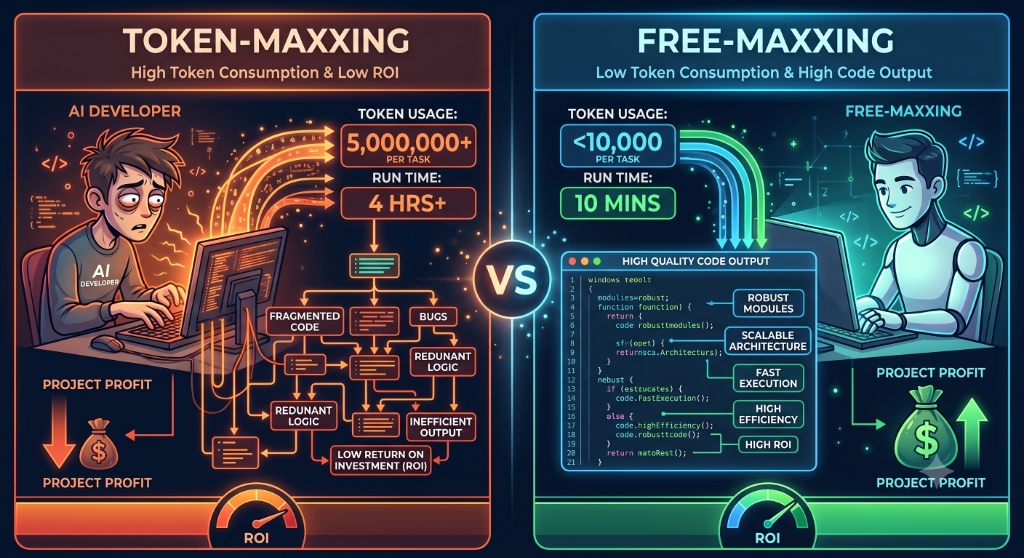
My Philosophy: Optimize For Outcomes, Not AI Spend
A lot of AI discussions today revolve around model rankings.
- Which model is smartest?
- Which benchmark is highest?
- Which reasoning model scored best on a leaderboard?
I care far more about business outcomes.
If a premium model helps me solve a problem faster, I'll happily pay for it. If a free model gets me 90% of the way there, I'll happily use that instead.
The goal isn't minimizing spend. The goal is maximizing return.
Sometimes that means spending more.
Sometimes that means spending nothing.
The metric that matters is whether I'm shipping faster, learning faster, and creating more value.
My Current Agentic Stack
Today my setup revolves around a few simple components.
1. OpenCode - My Free Agent
OpenCode has become my preferred terminal agent. It gives me an environment where I can iterate quickly, inspect what the agent is doing, and work directly inside my projects without needing heavyweight IDE integrations.
It is not without its flaws. Almost feels like the OpenCode community is continuing to optimize for precise outputs despite a lot of token-hogging. But with a little bit of configuration changes and token caps paired with OpenCode the setup works very well.
2. Open-Sourced Models Hosted On Workers AI
For most tasks I rely heavily on open-source and low-cost models.
- Kimi: Surprisingly capable for coding and research workflows.
- Llama: Continues to improve rapidly. Although still stuck in the chatbot era.
The gap between premium and open-source models is still real, but it is shrinking much faster than many people realize. For a large percentage of day-to-day work, "good enough" is often more valuable than the "best."
3. Cloudflare Workers AI - Has Daily Free Tokens
Workers AI from Cloudflare is actually amazing. It gives me access to models out of the box. Pretty much a one-time setup for long-term free tokens
I actually tried wiring up my OpenCode agent with other free model providers like Cerebras. However, once Cloudflare Workers AI was functional and Cerebras kept running into errors and auth requests, I settled for Workers AI for now.
OpenCode actually makes wiring these up very easy. Just use the /models command and it brings up a list of supported models. Configure the authentication once and you're on your way.
4. Cloudflare AI Gateway - For Observability
This is the most underrated part of my setup.
Most people think of AI Gateway as a cost-management tool. Fair if you're burning throough a lot of tokens and want a pulse on spend. I use an observability layer to configure my system prompts to remain within the daily free limits.
AI Gateway gives me the visibility into:
- Prompts & responses
- Model usage & latency
- Token consumption
The same way application logs became essential for software engineering, prompt logs are becoming essential for agent engineering.
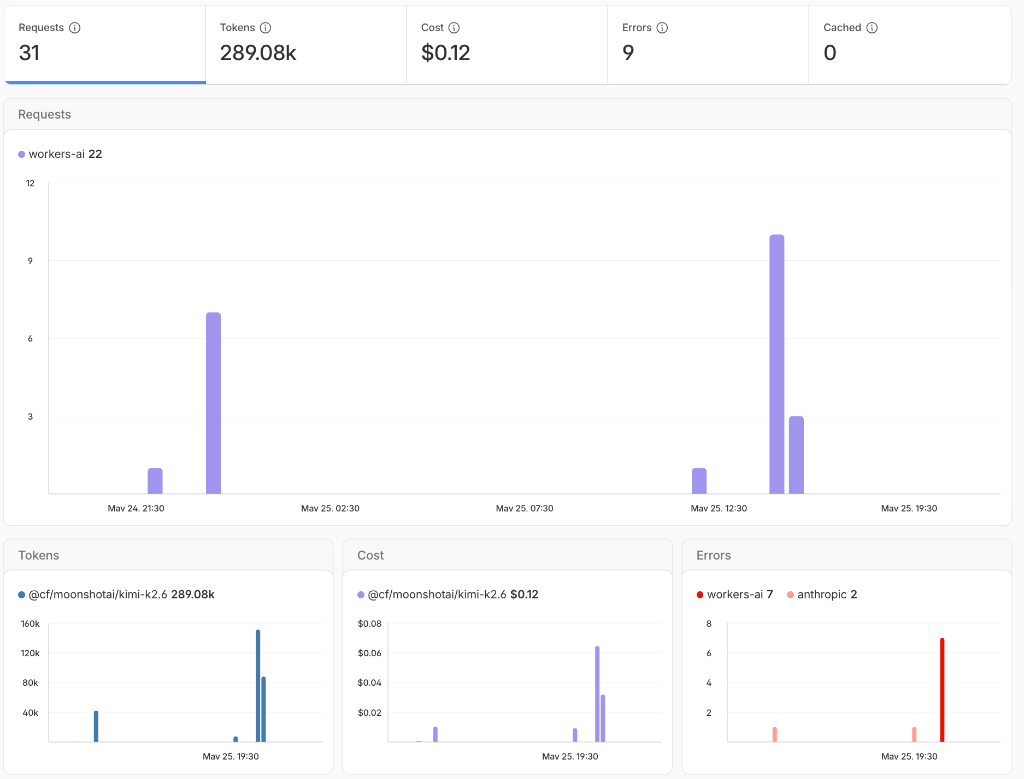
Dashboard showing prompt logs, model usage, token consumption, and latency metrics flowing through a central AI Gateway.
Visibility Precedes Cost Control
As I started using multiple agents and multiple models simultaneously, I realized something. I often had no idea what was actually happening underneath the hood. Especially models from Anthropic are so unpredictable in their burn rate based on time of day.
My trigger to implement observability was actually when I burned through all of my 10,000 Workers neurons with a sigle prompt. The prompt apparently fired a few sub-agents on OpenCode and just like that I was out of tokens.
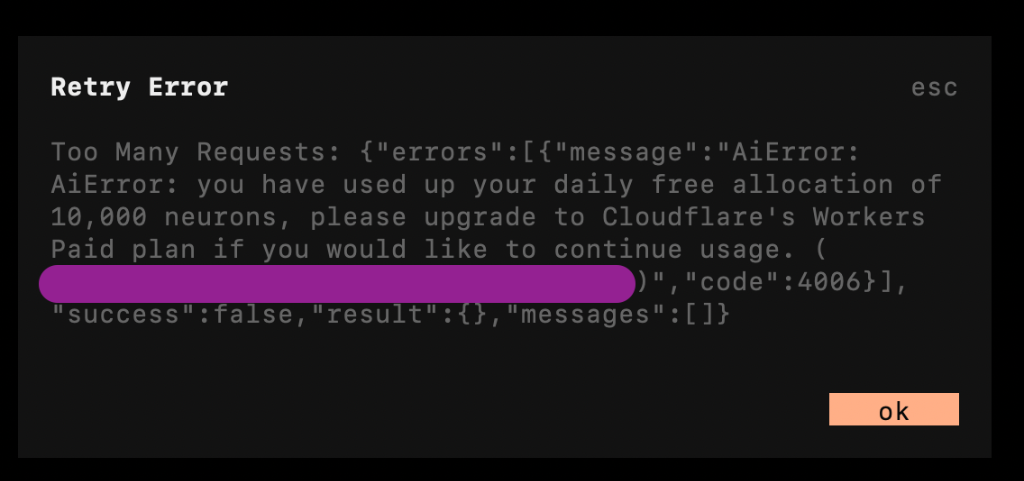
The error message from Cloudflare Workers AI showing that the daily free allocation of 10,000 neurons was exhausted.
That's why I started routing everything through AI Gateway. Originally, I wanted better visibility. Cost tracking simply came along for the ride.
The Unexpected Discovery
What began as a simple observability project turned into something much more interesting.
Once I started inspecting prompts, agent behavior, and token consumption, I discovered that some seemingly trivial tasks were triggering surprisingly large amounts of work behind the scenes.
Questions that should have required a quick answer sometimes caused agents to explore entire repositories, invoke multiple tools, and consume far more tokens than expected.
The visibility was useful. The discoveries were even more useful.
I'll save that story for the next article. Because running into these issues is where the gold is in debugging agentic applications.
Coming soon: How I Debugged My Agentic Stack After It Burned Through My Token Budget In Minutes
Want to talk AI strategy or product growth in the agentic era?
I'm always happy to compare notes on agentic workflows and cost-effective AI stacks.
Book a Free Session